

Sales-Assisted Onboarding: Helping Reps Close Faster With Better First Sessions
Sales teams hate trials that stall. Learn how to design sales-assisted onboarding that gets accounts to value in the first session, improves demos and POCs, captures intent for personalized follow-ups, and shares activation data with reps so they know exactly where deals are stuck.
 Olivia T.Product Education Lead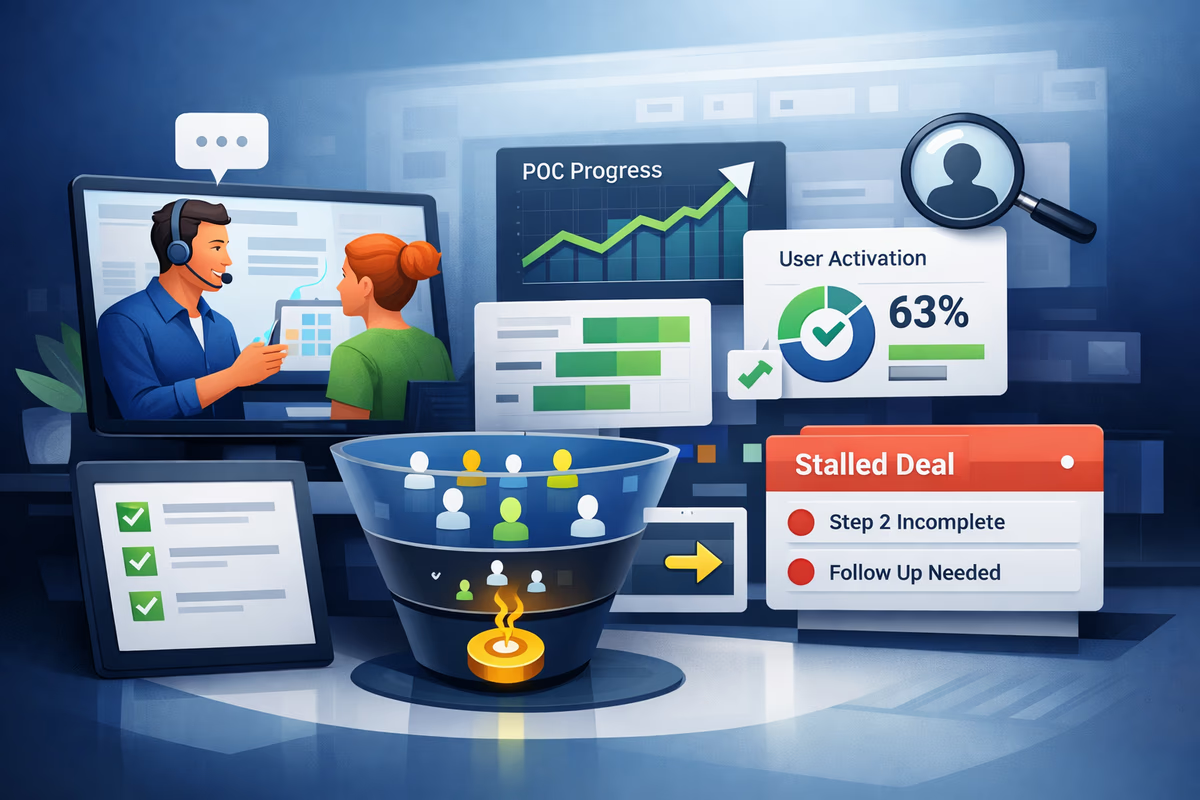
Sales-assisted deals don’t fail because the product is weak. They fail because the first session is unfocused.
AEs jump on a call, run a generic demo, and then the account disappears into a half-configured workspace. The champion can’t reproduce what they saw. The admin is blocked by permissions. The POC turns into “we’ll circle back next week.”
Sales-assisted onboarding fixes that by treating onboarding as part of the sales motion—not a post-sale responsibility. The goal is simple: make the first session produce a real, repeatable outcome the buyer can share internally.
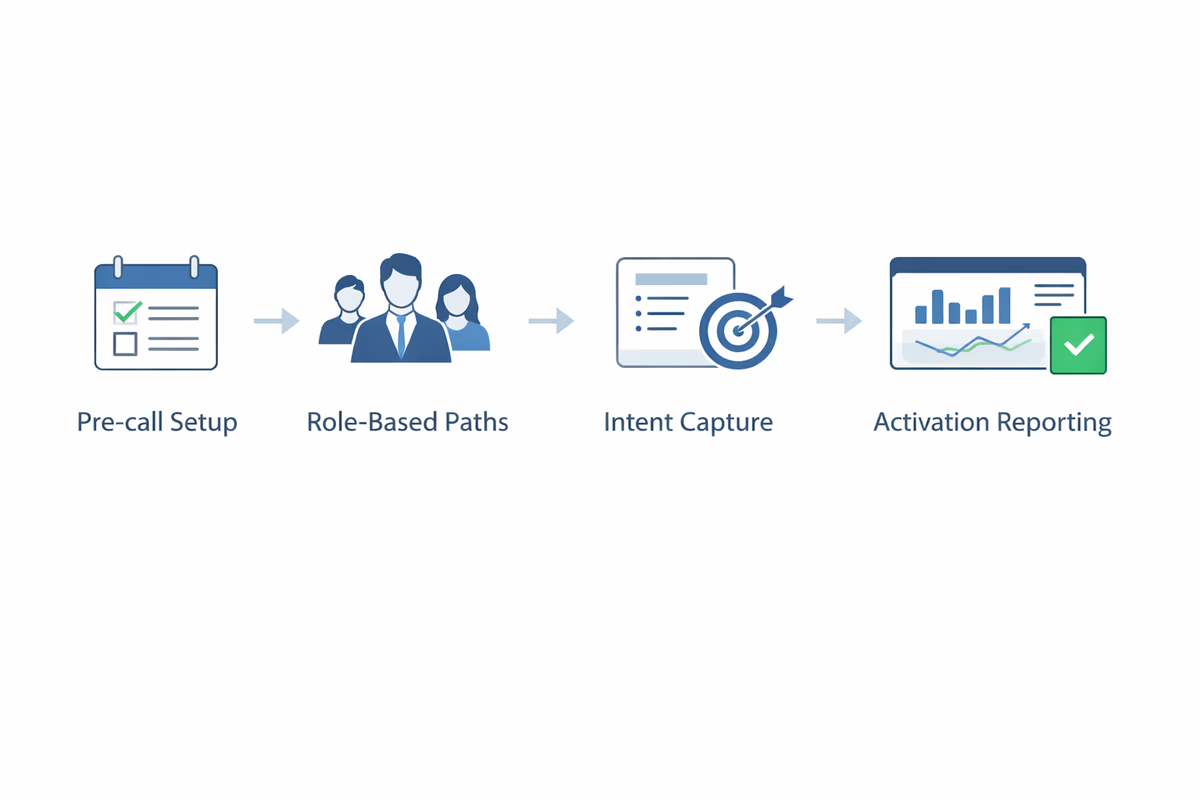
Below is a practical framework you can implement with User Tourly-style in-app guidance: pre-call setup, role-based paths, intent capture, and activation reporting that sales will actually use.
What “sales-assisted onboarding” actually means
Sales-assisted onboarding is a guided product experience designed for accounts that have a rep involved (demo, trial + AE, POC, or pilot). It’s not a long checklist. It’s a system that:
- Prepares the workspace before the first live call
- Routes different roles (champion, admin, end user) to the right path
- Captures intent so reps can personalize the next step
- Surfaces activation status so sales knows what’s happening without guessing
The output you want is better first sessions: the buyer completes a meaningful action during or immediately after the call, and can repeat it without the rep.
Start with the “First Session Outcome” (FSO)
Before you build flows, define the one outcome that proves value fast.
A good FSO has three traits:
- Fast: achievable in 5–15 minutes
- Concrete: creates an artifact (a dashboard, an integration, a workflow, a report)
- Shareable: easy to show to a manager or stakeholder
Examples:
- Analytics product: “Connect one data source + see first dashboard populate”
- Collaboration tool: “Invite 3 teammates + create first shared workspace”
- Security tool: “Deploy agent to 1 endpoint + see first risk finding”
- Dev tool: “Generate an API key + make first successful request”
Everything else in onboarding should support that first outcome.
Design a pre-call setup flow that removes friction
Sales calls go off the rails when setup starts on the call. Fix that with a pre-call setup flow that runs immediately after signup or meeting booking.
What to include in pre-call setup
Keep it short. Aim for 3–5 steps that eliminate common blockers:
- Confirm use case (pick one): “Reporting,” “Automation,” “Compliance,” etc.
- Confirm role: “I’m evaluating,” “I’m the admin,” “I’ll be a user”
- Collect required inputs: domain, workspace name, data source, integration type
- Permission check: “Do you have admin access to connect X?”
- Schedule/confirm next step: “Your rep will tailor the session to your selection”
How to implement it in-product
Use a welcome modal or checklist that appears on first login and is skippable, but persistent. The key is to save state and let users complete it asynchronously.
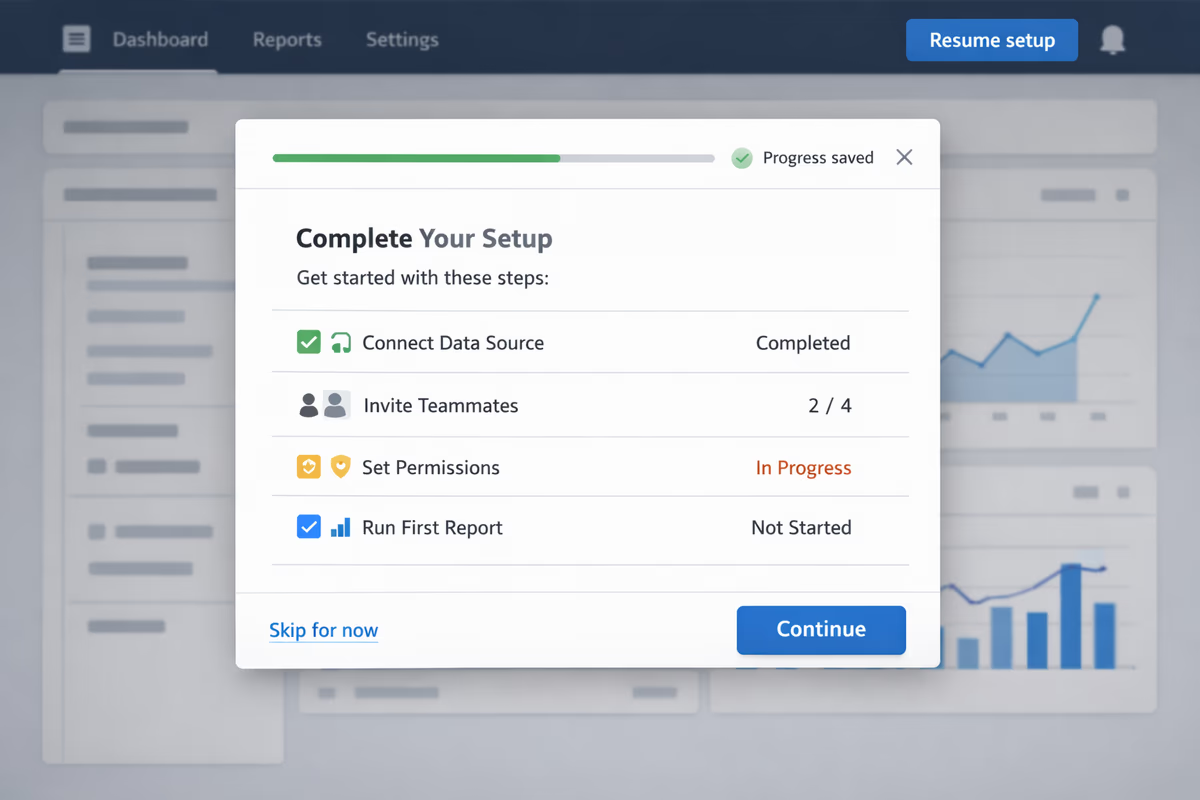
Practical rule: if a step requires leaving the product (finding credentials, requesting access), the flow should:
- Explain exactly what’s needed
- Provide a “mark as done” button
- Offer a fallback path (“I don’t have this—show me a sandbox example”)
This prevents the “we couldn’t finish because…” excuse that drags deals out.
Build role-based paths for champions, admins, and end users
Sales-assisted accounts rarely have one persona. If you run everyone through the same onboarding, you’ll either overwhelm end users or under-serve admins.
Segment by role early
Ask one question in the first minute:
- “What’s your role in setting this up?”
- Champion / evaluator
- Admin / implementer
- End user
Then route them to different checklists and guidance.
Champion path: prove value and arm them to sell internally
Champion onboarding should prioritize:
- A fast path to the FSO
- A “why it matters” narrative they can repeat
- A shareable artifact (export, link, report)
Add a lightweight “POC kit” inside the product:
- Suggested success criteria (editable)
- A timeline (“Day 1: connect X; Day 3: invite team; Day 7: review results”)
- A one-page summary they can forward
Admin path: de-risk implementation
Admins care about:
- Permissions and access control
- Security/compliance requirements
- Integrations and data flows
Admin onboarding should include:
- A setup checklist with dependencies (SSO, SCIM, API keys, IP allowlists)
- Clear validation steps (“You’ll know it worked when…”)
- Links to docs only when necessary, with in-app tooltips for the critical clicks
End user path: get them to a “first win” without configuration
End users should not see admin setup steps. Their path should:
- Start with a sample project/template
- Guide them to one useful action
- Encourage inviting others or saving work
This is where interactive walkthroughs and tooltips shine: show them exactly what to do, then get out of the way.
Capture intent so reps can personalize follow-ups
Reps don’t need more activity logs. They need intent signals that explain what the buyer is trying to accomplish.
What to capture (keep it tight)
Use 3–6 fields max across your pre-call and first-session flows:
- Primary use case (single select)
- Team size / rollout scope (ranges)
- System to integrate with (single select)
- Timeline (this week / this month / later)
- Biggest concern (security, complexity, pricing, adoption)
Where to capture it
- Pre-call setup modal (best for use case + role)
- In-product milestone moments (best for “concern” or “blocker”)
- Exit intent or “need help?” prompt (best for friction points)
Turn intent into sales-ready context
Every captured signal should map to an action:
- Use case → load the right template and demo narrative
- Integration choice → show relevant connector steps and docs
- Concern → trigger the right enablement asset (security one-pager, ROI calculator)
If the data doesn’t change what happens next, don’t ask for it.
Create activation milestones that match the sales motion
Product activation metrics often don’t align with what sales needs to qualify and advance a deal.
Define a small set of milestones that represent real progress in a POC:
Example milestone model
- M1: Workspace created (account is real)
- M2: Key data/integration connected (setup started)
- M3: First value event completed (FSO achieved)
- M4: Multi-user adoption (invited teammates / shared artifact)
- M5: Repeat usage (value event repeated within 7 days)
Then tie each milestone to a recommended rep action.
- Stuck at M1 → confirm use case, schedule technical setup
- Stuck at M2 → involve solutions engineer, offer guided integration
- Stuck at M3 → adjust success criteria, provide template
- Stuck at M4 → coach champion on internal rollout
Share activation data with sales in a simple, usable way
Sales doesn’t want dashboards with 40 charts. They want one view that answers:
- Where is this account in the journey?
- What’s blocking them?
- What should I do next?
Build a “Deal Readiness” snapshot
Keep it to 5–7 fields that can live in your CRM or a shared workspace:
- Current milestone (M1–M5)
- Last active date
- FSO completed? (yes/no + timestamp)
- Selected use case + integration
- Top blocker (if known)
- Next best action (NBA)
If you can’t automate all of it, start manual. A weekly ops process that tags accounts by milestone is still better than guessing.
Trigger alerts only when it matters
Avoid spamming reps. Send notifications for:
- FSO completed (rep can push for next step)
- Integration failed or abandoned (rep can intervene)
- Champion invited teammates (deal is gaining internal momentum)
- No activity for X days before a key meeting (rep can rescue)
Make the first session reproducible (not just impressive)
A great demo that can’t be repeated kills POCs.
Design your first-session experience so the buyer can redo it alone:
- Use in-app checklists that persist after the call
- Provide a “Replay this setup” walkthrough
- Save templates used during the demo into their workspace
- End with a clear “Next step” button that matches the rep’s follow-up
A practical close-the-loop tactic: at the end of the guided flow, show a short summary:
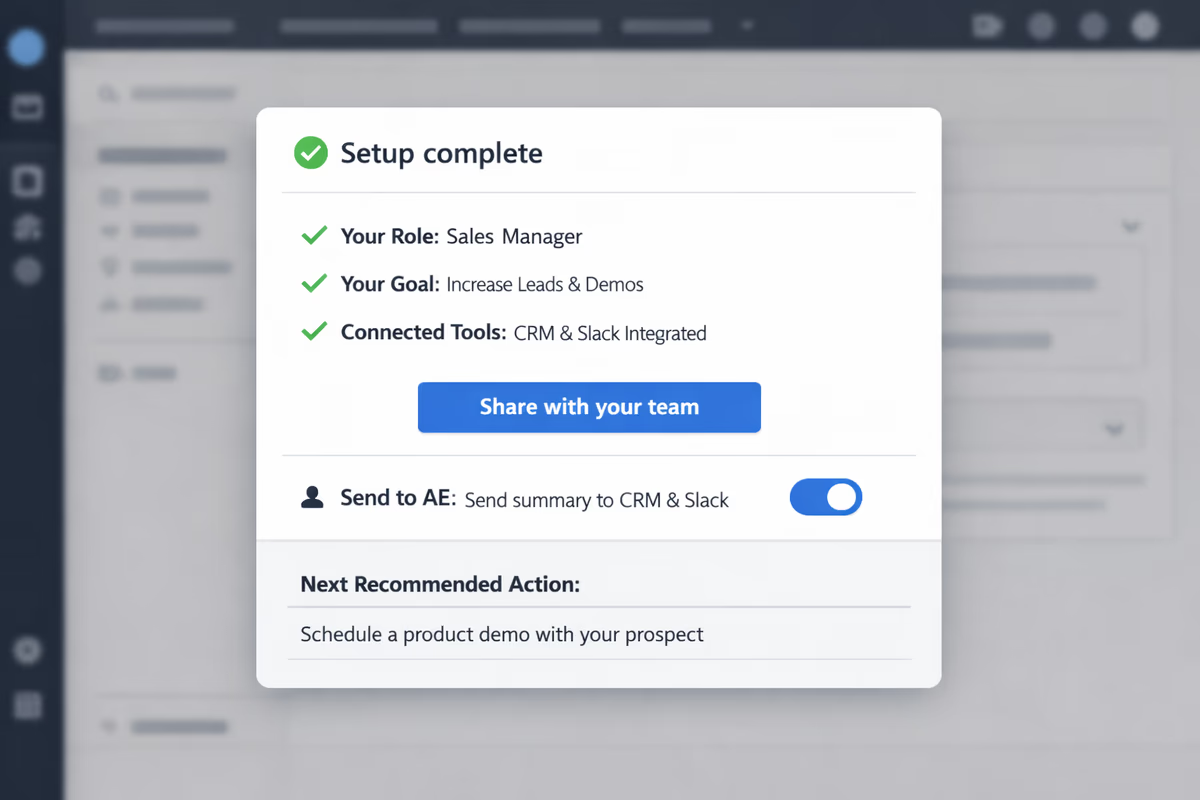
- What you set up
- What value you achieved
- What to do next
That summary becomes the champion’s internal update.
Implementation checklist (what to build first)
If you’re starting from scratch, build in this order:
- Define FSO for your top 1–2 use cases
- Pre-call setup flow (role + use case + integration)
- Role-based checklists (champion vs admin vs user)
- Milestones M1–M5 mapped to rep actions
- Deal Readiness snapshot shared with sales
- Blocker capture at key friction points
Ship the smallest version, then iterate based on drop-off points and sales feedback.
How User Tourly fits the sales-assisted motion
Sales-assisted onboarding needs in-app guidance that’s flexible and targeted. With User Tourly-style product tours, checklists, tooltips, and segmentation, you can:
- Route users by role and use case
- Guide pre-call setup without engineering-heavy work
- Create milestone-based onboarding checklists
- Capture intent in-context and pass it to your team
- Identify where accounts stall in the first session
The result is fewer “trial went dark” deals and more POCs that actually reach value.
The metric that matters: time-to-first-session value
If you measure only “trial started” and “trial converted,” you’ll miss what’s breaking your sales motion.
Track:
- Time from signup to FSO completion
- % of sales-assisted accounts reaching FSO within 24–72 hours
- Drop-off by role (champion vs admin)
- Accounts stuck at each milestone
When that improves, you’ll see it downstream: better meetings, tighter POCs, and faster closes.
FAQ
What’s the difference between sales-assisted onboarding and product-led onboarding?
Product-led onboarding optimizes for self-serve activation without human help. Sales-assisted onboarding assumes a rep-led motion and designs the product experience to support demos, POCs, and multi-stakeholder evaluation—especially by preparing the account before calls and sharing activation status with sales.
How many steps should a pre-call setup flow include?
Usually 3–5 steps. Focus on removing the most common blockers: role, use case, required integration inputs, and a quick permission check. If setup requires external work (credentials, approvals), provide a clear fallback so the session can still reach a first outcome.
What activation milestones should sales actually care about?
Milestones should reflect POC progress: workspace created, key integration connected, first value event completed, teammates invited/shared artifact, and repeat usage. Each milestone should map to a recommended rep action so sales knows what to do when an account stalls.
How do you share onboarding progress with reps without overwhelming them?
Use a simple “Deal Readiness” snapshot: current milestone, last active date, whether the first session outcome is complete, selected use case/integration, known blocker, and next best action. Trigger alerts only for high-signal events like FSO completion or integration abandonment.
Table of Contents
- What “sales-assisted onboarding” actually means
- Start with the “First Session Outcome” (FSO)
- Design a pre-call setup flow that removes friction
- What to include in pre-call setup
- How to implement it in-product
- Build role-based paths for champions, admins, and end users
- Segment by role early
- Champion path: prove value and arm them to sell internally
- Admin path: de-risk implementation
- End user path: get them to a “first win” without configuration
- Capture intent so reps can personalize follow-ups
- What to capture (keep it tight)
- Where to capture it
- Turn intent into sales-ready context
- Create activation milestones that match the sales motion
- Example milestone model
- Share activation data with sales in a simple, usable way
- Build a “Deal Readiness” snapshot
- Trigger alerts only when it matters
- Make the first session reproducible (not just impressive)
- Implementation checklist (what to build first)
- How User Tourly fits the sales-assisted motion
- The metric that matters: time-to-first-session value