

Event Tracking for SaaS: How to Measure User Actions That Drive Activation
Event tracking turns “users signed up” into a clear picture of what people actually do in your product—and which actions predict activation and conversion. This guide shows how to define activation milestones, choose the right events to track, and use the data to improve onboarding and trial-to-paid outcomes.
 Emma C.Head of Growth
Why event tracking matters (and why pageviews don’t)
In SaaS, “sign-ups” and “logins” are vanity metrics unless you can connect them to meaningful product usage. Event tracking is how you measure what users actually do—creating a project, inviting teammates, importing data, publishing a report—and how those actions correlate with activation and conversion.
When you instrument the right events, you can:
- Identify the behaviors that predict activation (not just activity).
- See where users drop off in onboarding flows.
- Segment onboarding by persona, use case, or plan.
- Reduce time-to-value by removing friction from critical steps.
- Run onboarding experiments with measurable outcomes.
The goal isn’t “track everything.” The goal is to track the smallest set of actions that explain why users activate (or don’t) and what to do about it.
Define activation before you track anything
Activation is the moment a user experiences your product’s core value. It’s not the same as account creation.
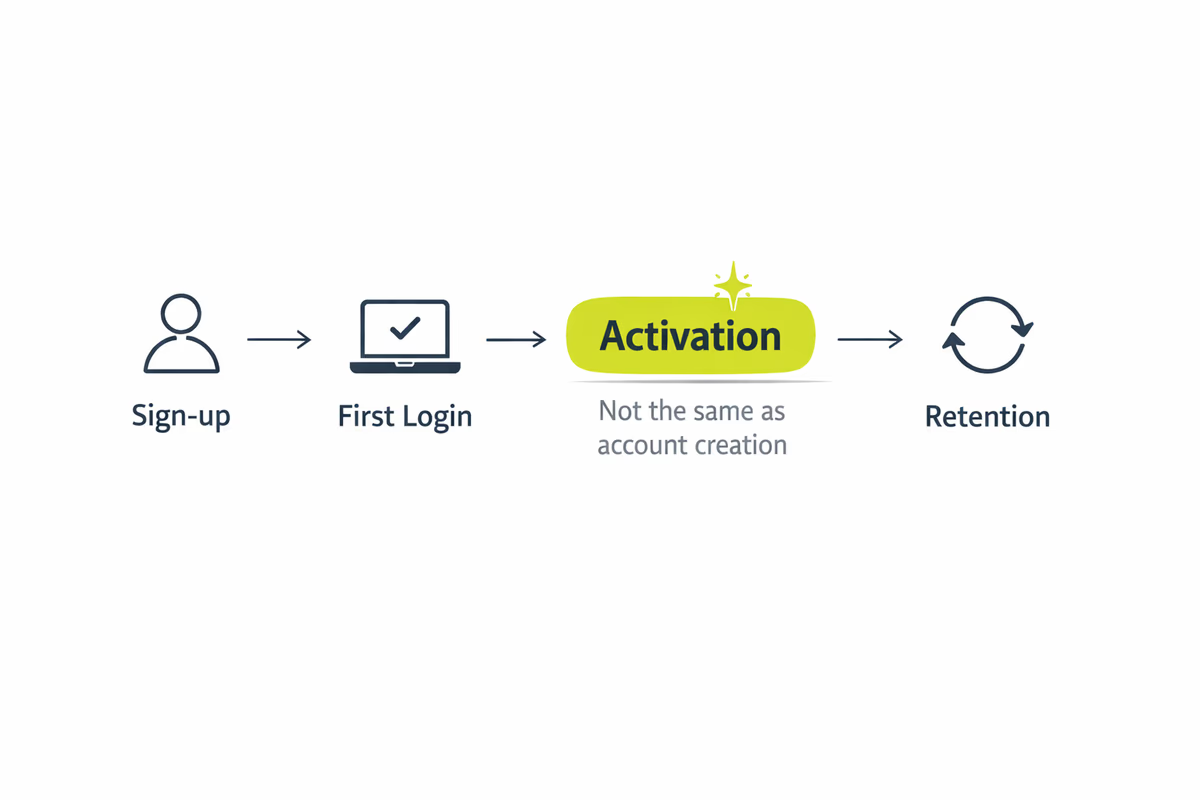
A practical activation definition has three traits:
- Value-based: The user reached an outcome, not just a click.
- Observable: You can measure it with events and properties.
- Predictive: It correlates strongly with retention or trial-to-paid conversion.
How to find your activation milestone
Use a mix of product intuition and data:
- Interview sales and CS: Ask what “successful onboarding” looks like in the first week.
- Analyze retained users: What did users who stayed (or converted) do in their first 1–3 sessions?
- Look for a “must-have” action: The step that, once completed, makes the product stick.
Examples of activation milestones by product type:
- Project management: Create a project + add 3 tasks + invite 1 teammate.
- Analytics/reporting: Connect a data source + generate first dashboard.
- Collaboration tool: Create a workspace + send first message + add a channel.
- Developer tool: Install SDK + send first event + view data in dashboard.
Write your activation milestone as a simple rule, e.g.:
- Activated =
Connected integrationANDCreated first dashboardwithin 7 days of signup.
Once you can state it clearly, you can instrument events to measure it.
Build an event tracking plan that’s actually usable
A good tracking plan is a shared document that defines what you track, how it’s named, and why it exists.
Event taxonomy: keep it consistent
Use a naming convention that makes analysis easy:
- Verb + Object:
Created Project,Invited Teammate,Connected Integration - Avoid vague events like
Clicked Buttonunless you include context as properties.
Include properties that answer “who, what, where, and how”
Each event should carry properties that help you segment and diagnose issues:
- User properties: role/persona, company size, plan, acquisition channel.
- Context properties: page/screen, onboarding step, feature area.
- Object properties: integration type, template used, number of items created.
Example:
- Event:
Connected Integration- Properties:
integration_name,integration_category,setup_method,onboarding_variant
- Properties:
Track outcomes, not micro-interactions
If you track every click, you’ll drown in noise. Instead, prioritize events that represent progress toward value.
A useful rule: if an event doesn’t change what the user can do next, it’s probably not essential.
The key event categories to track for activation
You don’t need 200 events. Most SaaS products can start with 15–30 well-chosen events across these categories.
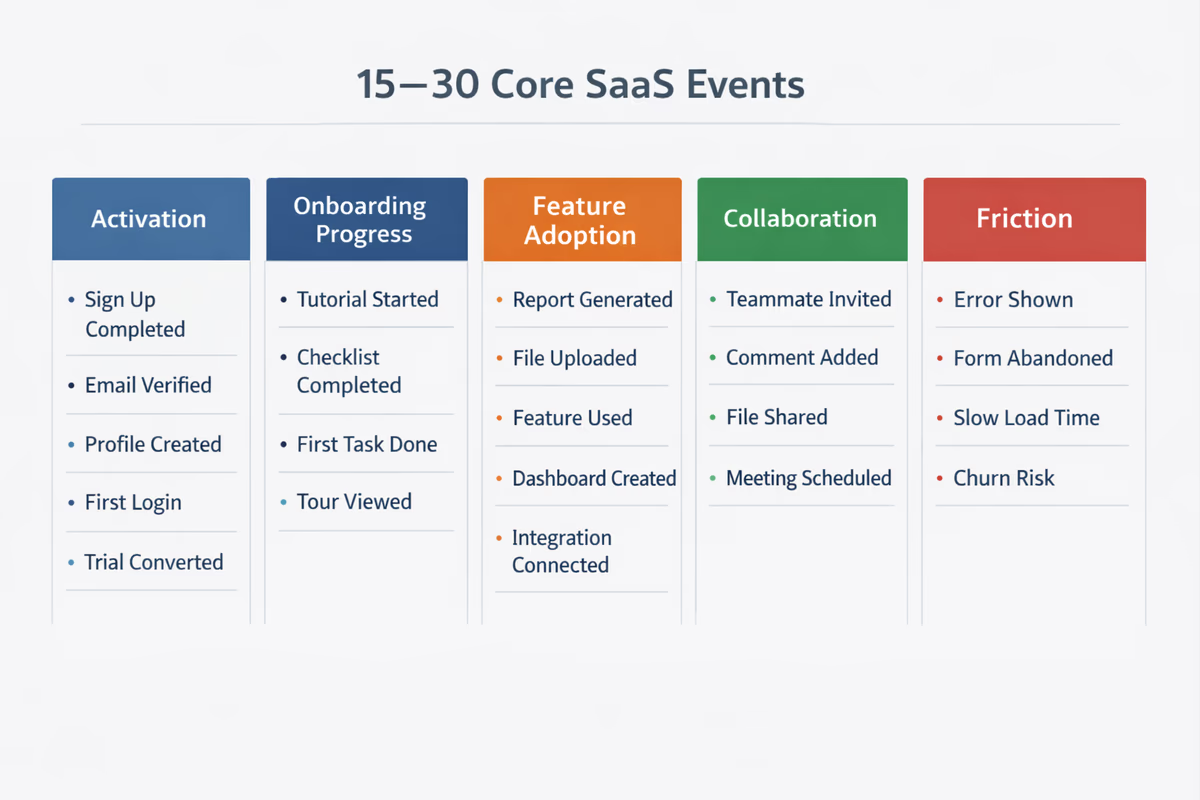
1) Acquisition and signup events
These help you connect activation to source and intent.
Track:
Signed UpVerified Email(if applicable)Completed Signup(if multi-step)
Properties to include:
utm_source,utm_campaign,signup_method,trial_type,role_selected
2) Onboarding progress events
If you use an onboarding checklist or guided setup, treat each step as measurable progress.
Track:
Viewed Onboarding ChecklistCompleted Onboarding StepSkipped Onboarding Step
Properties:
step_id,step_name,step_order,time_since_signup
This is where tools like User Tourly help: you can map in-app guidance to measurable steps and see which steps drive activation.
3) “Aha” events (core value moments)
These are the actions that represent the user getting value.
Track:
Created First Project/Created First WorkspaceConnected Data SourceImported DataPublished Report
Properties:
template_used,items_created_count,integration_name,project_type
4) Activation milestone completion
Create a single event (or computed metric) that represents activation.
Options:
- Fire an event:
Activatedwhen the rule is met. - Or compute activation in analytics using a funnel/sequence.
If you fire Activated, include:
activation_version(so you can change the definition later)activation_path(which steps were completed)
5) Collaboration and expansion signals (for B2B)
In B2B SaaS, activation often requires multi-user behavior.
Track:
Invited TeammateTeammate JoinedAssigned Task/Shared Dashboard
Properties:
invite_count,seat_count,team_role,share_target
6) Friction and failure events
If you only track “happy path” events, you’ll miss why users stall.
Track:
Integration FailedImport FailedPermission ErrorPayment Failed(during conversion)
Properties:
error_code,error_type,integration_name,step_id
These events are often the fastest way to find onboarding blockers.
How to measure activation with funnels and time-to-value
Once events are in place, focus on three core analyses.
1) Activation funnel
Build a funnel that matches your onboarding journey. Example:
Signed UpCompleted Onboarding Step(key step)Connected IntegrationCreated First DashboardActivated
Look for:
- The biggest drop-off step.
- Differences by segment (role, company size, acquisition channel).
- Whether users complete steps in one session or across multiple.
2) Time-to-value (TTV)
Measure how long it takes users to reach the first meaningful outcome.
Common TTV metrics:
- Time from
Signed UptoActivated - Time from
First SessiontoAha Event
Then segment:
- Fast activators vs slow activators
- Users who convert vs users who churn
If TTV is long, your onboarding likely has too much setup, unclear guidance, or missing defaults.
3) Pathing analysis (what users do before activation)
Activation isn’t always linear. Look at the most common sequences leading to Activated.
This helps you:
- Identify optional steps that aren’t necessary.
- Find “shortcut” paths you can encourage.
- Detect detours that correlate with drop-off.
Turn tracking insights into onboarding improvements
Event tracking only pays off when you change something in-product.
Optimize onboarding with targeted in-app guidance
Use your data to guide users through the highest-impact steps:
- Add tooltips or walkthroughs for the step with the biggest funnel drop.
- Trigger guidance based on behavior (e.g., user opened Integrations page but didn’t connect).
- Personalize onboarding checklists by role or use case.
Practical examples:
- If users who connect an integration within 10 minutes are 3× more likely to activate, make integration setup the first checklist step.
- If “Create first project” is a major stall point, provide templates and pre-filled examples.
Create “success thresholds,” not just binary events
Some events become meaningful only after a threshold:
Created Taskbecomes valuable at 5 tasks.Sent Messagebecomes valuable after 3 messages across 2 days.
Track counts as properties (or separate milestone events) so you can see when users cross the threshold that predicts retention.
Run experiments tied to activation, not clicks
When testing onboarding changes, define success metrics upfront:
- Primary: activation rate, time-to-value
- Secondary: step completion rate, integration success rate
- Guardrails: support tickets, error events
Avoid optimizing for:
- Tour completion rate
- Tooltip clicks
Those can be helpful diagnostics, but they’re not the business outcome.
Common event tracking mistakes (and how to avoid them)
Mistake 1: Tracking too much, too soon
Start with the 5–10 events closest to activation, then expand. If you can’t explain why an event matters, don’t track it yet.
Mistake 2: Inconsistent naming and missing properties
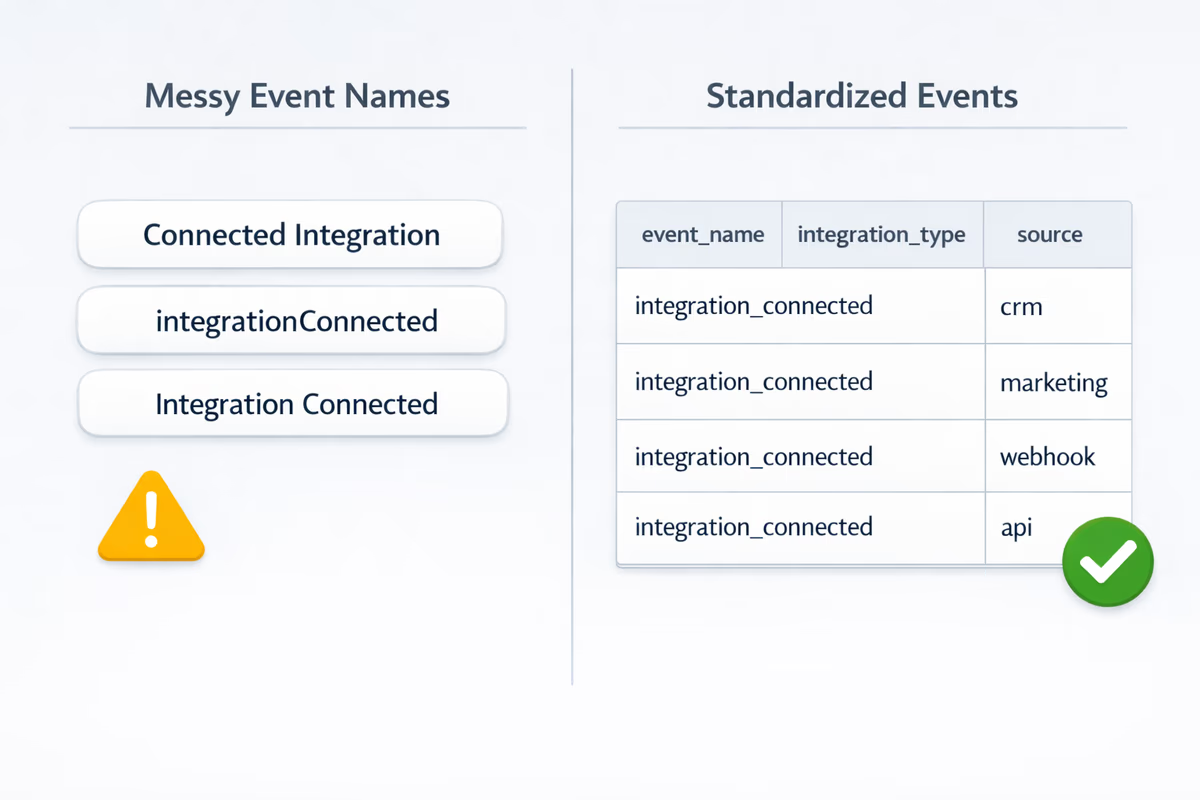
If one team tracks integration_connected and another tracks Connected Integration, analysis breaks. Standardize names and required properties.
Mistake 3: Not versioning your activation definition
Your product evolves. Add activation_version so you can compare performance over time without corrupting historical data.
Mistake 4: Ignoring multi-user reality in B2B
If activation requires teammates, track invites, joins, and collaborative actions. Otherwise you’ll misdiagnose “non-activation” when the real issue is “team never formed.”
A simple starter checklist for your first 30 days
Week 1: Define and align
- Write your activation milestone rule.
- List the 10–20 events that represent progress toward it.
- Agree on naming and required properties.
Week 2: Instrument and validate
- Implement events for signup, onboarding steps, aha actions, and failures.
- QA events in a staging environment.
- Validate that properties populate correctly.
Week 3: Build dashboards
- Activation funnel by key segments.
- Time-to-value report.
- Error/failure event dashboard.
Week 4: Improve onboarding
- Pick the largest drop-off step.
- Add or refine in-app guidance for that step.
- Run an experiment and measure activation impact.
The bottom line
Event tracking for SaaS is about measuring the behaviors that create value—then using that data to shorten time-to-value and increase activation. Start with a clear activation definition, track a focused set of progress and friction events, and tie every onboarding change to activation outcomes. That’s how you turn “product usage” into predictable trial-to-paid conversion.
FAQ
What are the most important SaaS events to track for activation?
Start with events that map directly to value: signup completion, onboarding step completion, core “aha” actions (e.g., create first project, connect integration), collaboration actions (invite/join teammate for B2B), and failure events (integration/import errors). Then define an activation milestone as a measurable sequence of these events.
How many events should a SaaS product track?
For an initial activation-focused setup, 15–30 well-defined events is usually enough. Prioritize outcome and progress events over click-level tracking, and add properties for segmentation (role, plan, integration type, onboarding step). Expand only after you can answer specific questions with the data.
How do you measure time-to-value with event tracking?
Pick a value event (often your activation milestone or first “aha” action), then measure the time between `Signed Up` (or `First Session`) and that value event. Segment by persona, acquisition channel, and onboarding variant to find where guidance or setup changes can reduce time-to-value.
Should activation be a single event or a funnel?
Use a funnel/sequence to understand where users drop off, and optionally emit a single `Activated` event when the activation rule is met. If you do emit `Activated`, include an `activation_version` property so changes to your definition don’t break historical comparisons.
Table of Contents
- Why event tracking matters (and why pageviews don’t)
- Define activation before you track anything
- How to find your activation milestone
- Build an event tracking plan that’s actually usable
- Event taxonomy: keep it consistent
- Include properties that answer “who, what, where, and how”
- Track outcomes, not micro-interactions
- The key event categories to track for activation
- 1) Acquisition and signup events
- 2) Onboarding progress events
- 3) “Aha” events (core value moments)
- 4) Activation milestone completion
- 5) Collaboration and expansion signals (for B2B)
- 6) Friction and failure events
- How to measure activation with funnels and time-to-value
- 1) Activation funnel
- 2) Time-to-value (TTV)
- 3) Pathing analysis (what users do before activation)
- Turn tracking insights into onboarding improvements
- Optimize onboarding with targeted in-app guidance
- Create “success thresholds,” not just binary events
- Run experiments tied to activation, not clicks
- Common event tracking mistakes (and how to avoid them)
- Mistake 1: Tracking too much, too soon
- Mistake 2: Inconsistent naming and missing properties
- Mistake 3: Not versioning your activation definition
- Mistake 4: Ignoring multi-user reality in B2B
- A simple starter checklist for your first 30 days
- Week 1: Define and align
- Week 2: Instrument and validate
- Week 3: Build dashboards
- Week 4: Improve onboarding
- The bottom line